Release Pipeline
A recommended Octopus release pipeline has six steps:
- Download the scripts package using dynamic package selection.
- Download the templates package.
- Run DataStar.Tools in rollback (verify) mode, via the step template.
- Manual step to review the verify output.
- Run DataStar.Tools in deployment mode, generating a reversal package.
- Housekeeping step to clean up packages.
Octopus variables
Set up the project variables first. Several of these are worth putting in a Library Set so the reversal project can share them.
| Name | Description |
|---|---|
LicenseKey | A sensitive field containing the DataStar licence key. |
PackageApiKey | A sensitive field containing an API key used to publish reversal packages back to the Octopus feed. |
ConnectionString | Connection string for the target database. Can reference other variables, for example User ID=#{DbUser};Password=#{DbPassword};Data Source=#{DataSource}. |
DynamicPackageName | The dynamic name used to pick the deployment package. For a Jira-style convention: DAT-#{Octopus.Release.Number | Replace "\.?\d*$" "" }. |
RevertPackageName | Filename for the published reversal package. Include the source package id and the environment so it's clear which deployment a reversal maps to: REVERT-#{Octopus.Environment.Name}-#{Octopus.Action[Download Package].Package.PackageId}.#{Octopus.Action[Download Package].Package.PackageVersion}.nupkg. |
HouseKeepDirectory | Base directory on the Tentacle for transient packages: C:\Octopus\Temp\#{Octopus.Environment.Name}. |
TempDirectory | Per-release subdirectory under HouseKeepDirectory, shared between steps so packages don't have to be referenced by every step: #{HouseKeepDirectory}\#{Octopus.Action[Download Package].Package.PackageId}-#{Octopus.Action[Download Package].Package.PackageVersion}. |
Additional variables may be needed depending on the environment, but the above is the minimum.
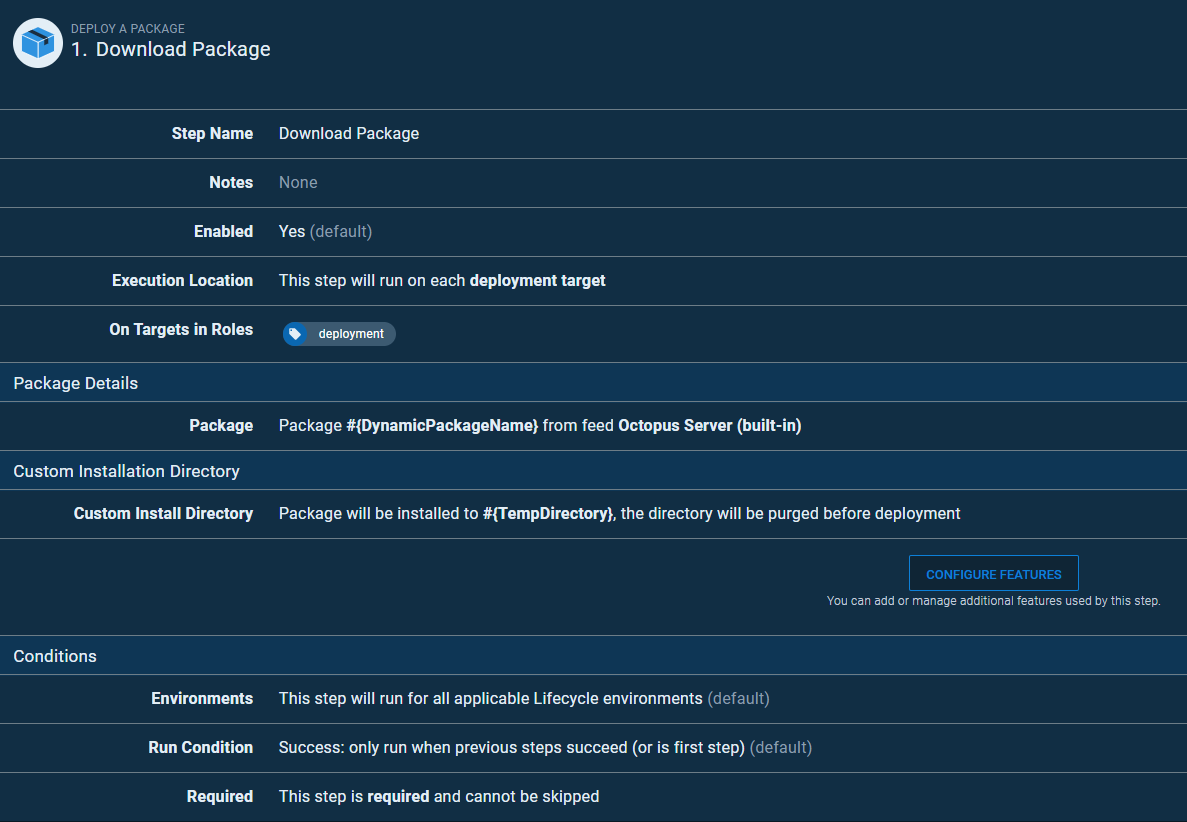
Step 1. Download Package
Add a standard Deploy a Package step that downloads the deployment artefact using DynamicPackageName.
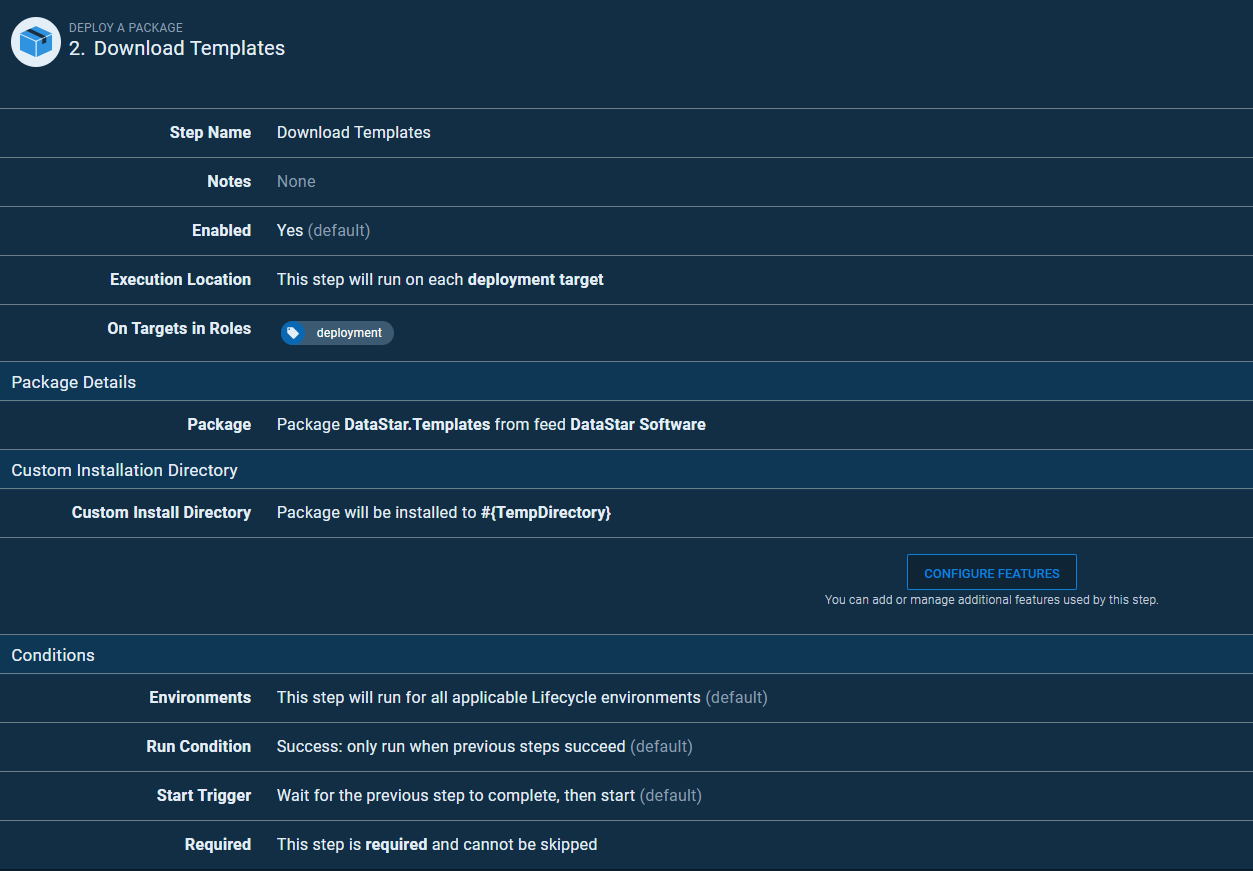
Step 2. Download Templates
Another Deploy a Package step, this time for the templates package.
Step 3. DataStar Verify
From 3.1 the DataStar.Tools NuGet package is a .NET tool and holds no program, so DataStar Path can no longer point at its content folder. Use the self-contained zip, DataStar.Tools.<version>.zip, as the DataStar Package and set DataStar Path to #{Octopus.Action.Package[DataStarPackage].ExtractedPath}. Or use the DataStar.Tools.win-x64 package with DataStar Path set to #{Octopus.Action.Package[DataStarPackage].ExtractedPath}/tools/net10.0/win-x64, on a worker with the .NET 10 runtime. The tables below show the path for 3.0.
Add the DataStar Release step template, configured to run in rollback mode. The output log becomes an Octopus artefact so step 4 can review it.
#{WorkItem} and #{Version} are populated from metadata.json in the deployment package via the Variables File parameter.
| Name | Value |
|---|---|
| Target database | Microsoft |
| The name of the database environment | #{Octopus.Environment.Name} |
| The connection string to connect to the target database | #{ConnectionString} |
| Enable writing details to the auditing tables | False |
| License Key | #{LicenseKey} |
| Work Item / User Story | #{WorkItem} |
| Version | #{Version} |
| Reversal Enabled | False |
| Working Directory | #{TempDirectory} |
| DataStar Path | #{Octopus.Action.Package[DataStarPackage].ExtractedPath}/content |
| Variables File | metadata.json |
| DataStar Package | The feed and package containing DataStar.Tools. |
| Rollback Transaction | True |
| Output Log File | verify.txt |
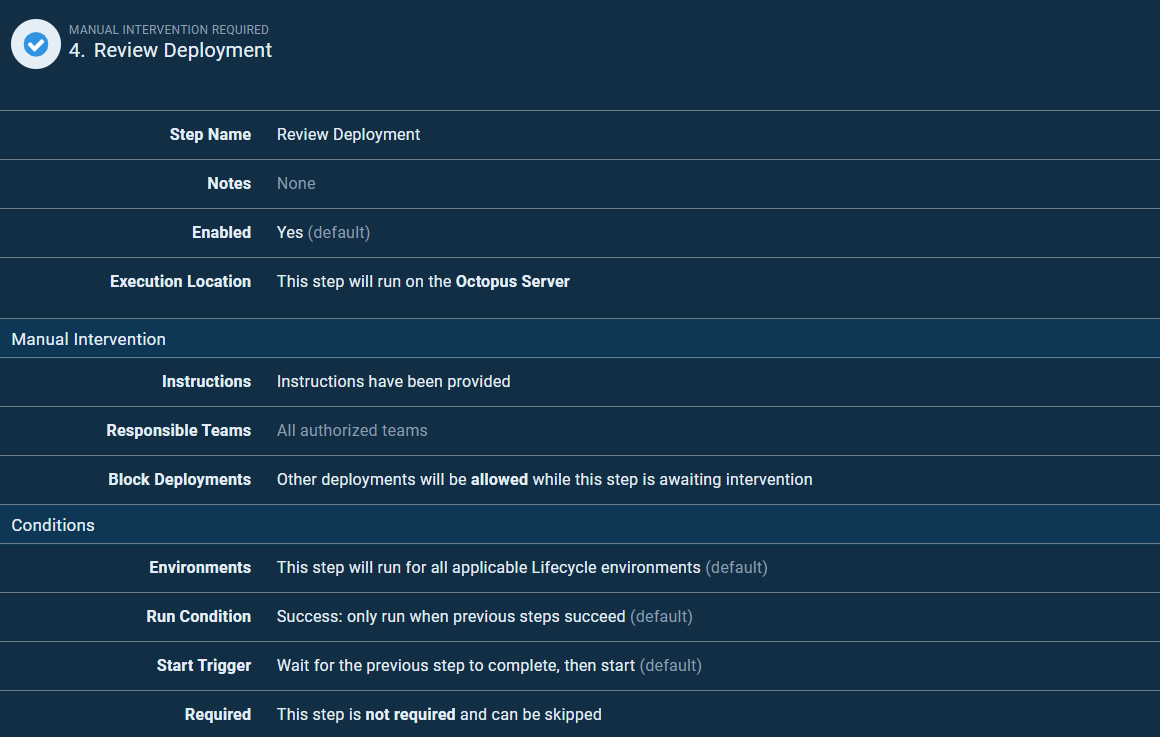
Step 4. Review Deployment
Add a standard Manual Intervention Required step. The reviewer reads the verify.txt artefact from step 3 before approving.
Step 5. DataStar Release
The DataStar Release step template again, this time configured to run the deployment for real, generate a reversal package, and publish that package back to Octopus.
| Name | Value |
|---|---|
| Target database | Microsoft |
| The name of the database environment | #{Octopus.Environment.Name} |
| The connection string to connect to the target database | #{ConnectionString} |
| Enable writing details to the auditing tables | False |
| License Key | #{LicenseKey} |
| Work Item / User Story | #{WorkItem} |
| Version | #{Version} |
| Reversal Enabled | True |
| Working Directory | #{TempDirectory} |
| Template Directory | #{TempDirectory}/templates |
| Package File Name | #{RevertPackageName} |
| Package Directory | #{TempDirectory}/package |
| Package Invariant | False |
| Package URI | https://your-octopus-libary-feed/nuget/packages |
| Package API Key | #{PackageApiKey} |
| API Key Header | X-Octopus-ApiKey |
| DataStar Path | #{Octopus.Action.Package[DataStarPackage].ExtractedPath}/content |
| Variables File | metadata.json |
| DataStar Package | The feed and package containing DataStar.Tools. |
| Rollback Transaction | False |
| Output Log File | output.txt |
Step 6. Remove Packages
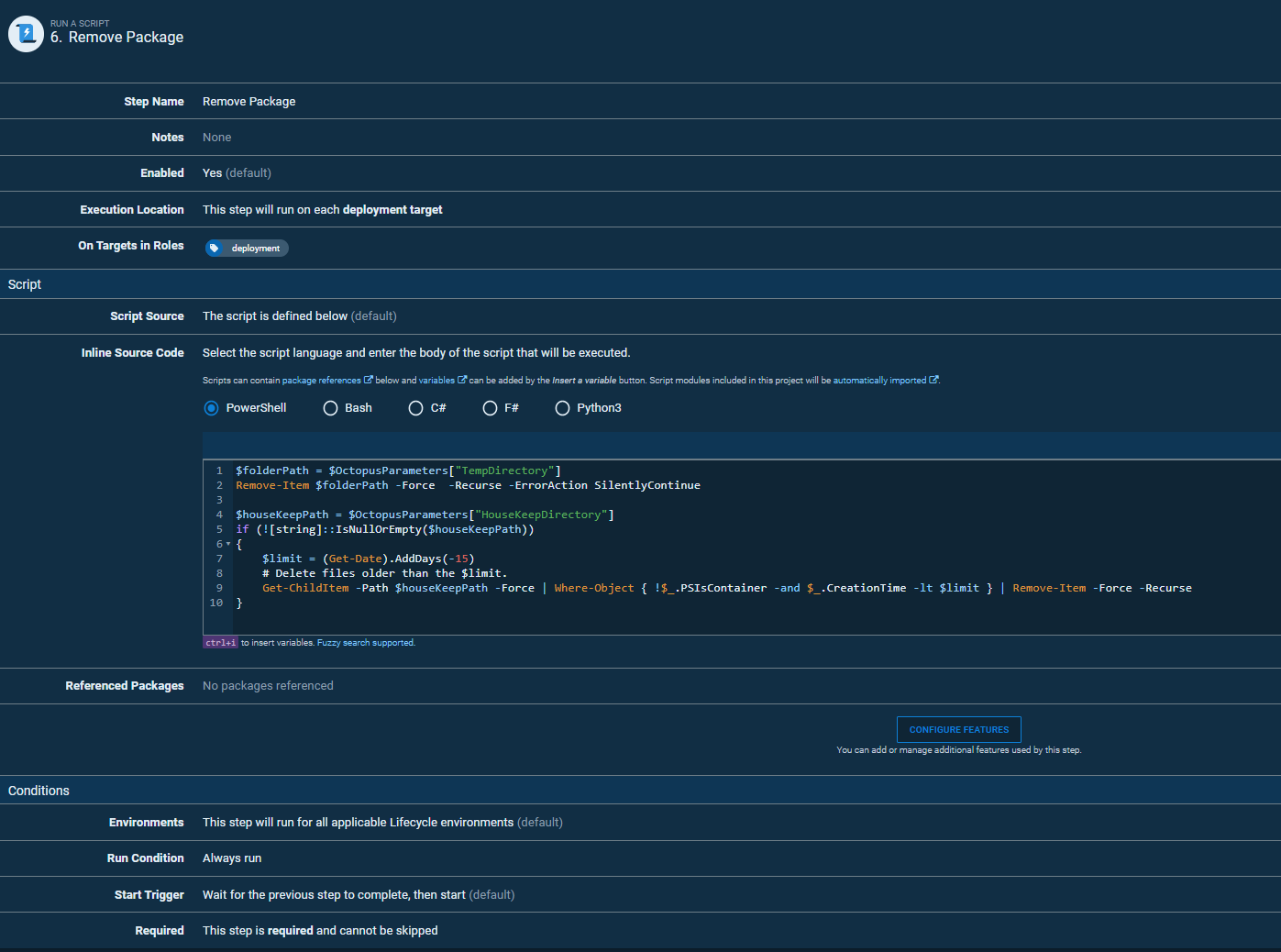
Add a Run a Script step set to always run, even on failure. Its job is housekeeping: packages were installed into a custom directory so they could be shared between steps, and now need removing. The script below deletes TempDirectory, then cleans files older than 15 days out of HouseKeepDirectory to catch anything orphaned by earlier runs.
$folderPath = $OctopusParameters["TempDirectory"]
Remove-Item $folderPath -Force -Recurse -ErrorAction SilentlyContinue

$houseKeepPath = $OctopusParameters["HouseKeepDirectory"]
if (![string]::IsNullOrEmpty($houseKeepPath))
{
    $limit = (Get-Date).AddDays(-15)
    Get-ChildItem -Path $houseKeepPath -Force | Where-Object { !$_.PSIsContainer -and $_.CreationTime -lt $limit } | Remove-Item -Force -Recurse
}
Configure the step as always run and cannot skip.