Azure DevOps Build
The Azure DevOps build pipeline packages the scripts referenced by a DataStar deployment manifest, along with any metadata the release pipeline needs. The build is driven by a work item: the work-item reference identifies the deployment to build, and appears in the build number and package name.
Overview
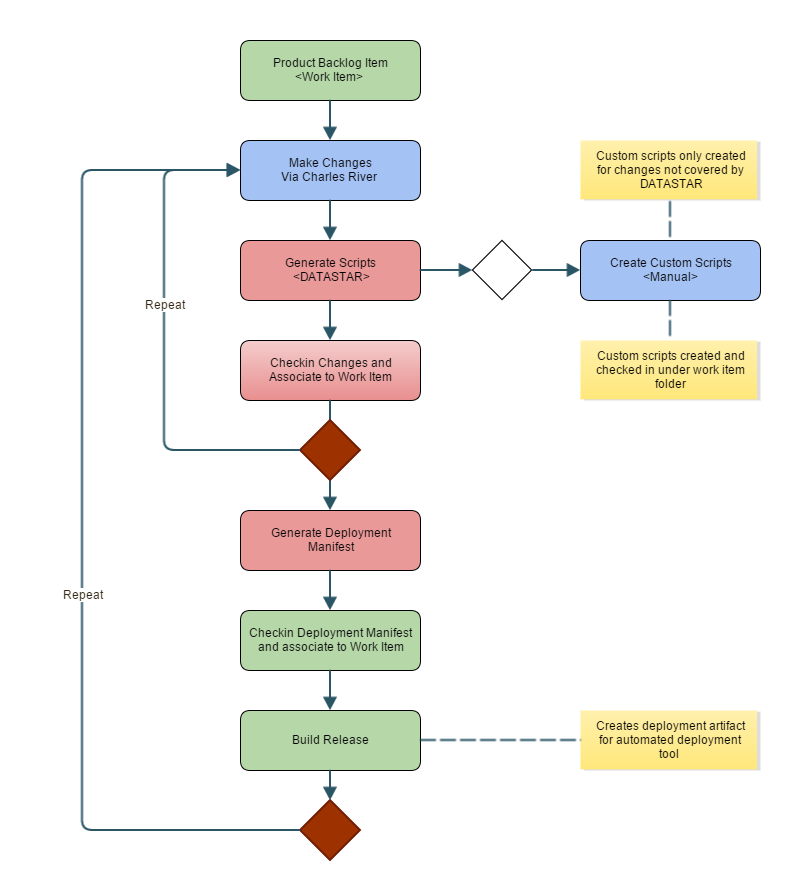
Pipeline setup
Two things need to be in place before any steps run:
- A
WorkItemvariable, settable when the build is queued. - A build number format that combines the work item with a revision, for example
$(WorkItem)$(Rev:.r).
Steps
Get Sources
Azure DevOps requires a Get Sources step even when the DataStar task handles the real source retrieval. If the pipeline needs no additional scripts, map it to an empty Git repo. Otherwise map it to a repo that contains anything else the build needs.
DATASTAR: Get Sources
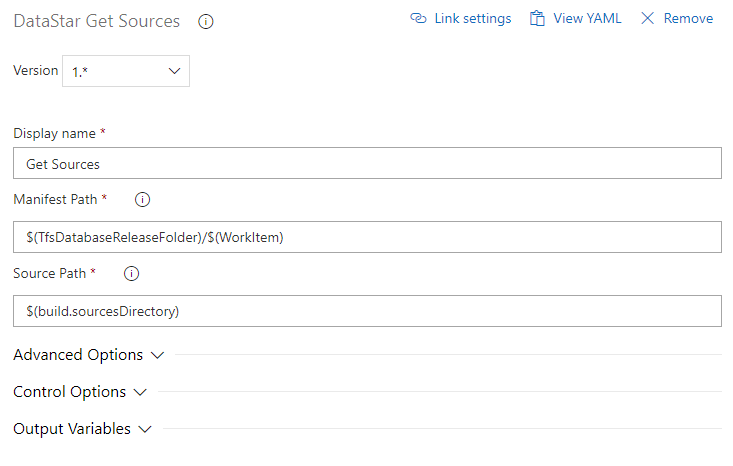
Add the DataStar Get Sources task. Set Manifest Path to the location of the deployment manifest using the $(WorkItem) variable, and Source Path to $(build.sourcesDirectory).
The task reads the deployment manifests stored under the work-item folder in the releases directory, then pulls each script they reference at the latest version. The result is a laid-out directory of everything the deployment needs.
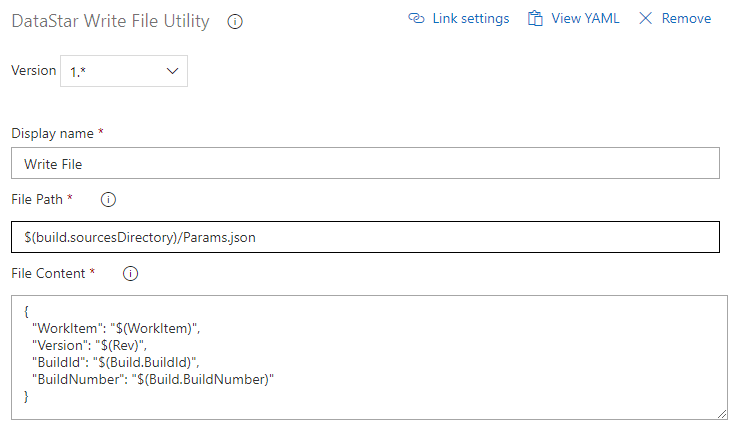
DATASTAR: Write File
Add the Write File task to produce a JSON file with build metadata (work item, version, build number). The release pipeline reads this file to recover the variables for deployment.
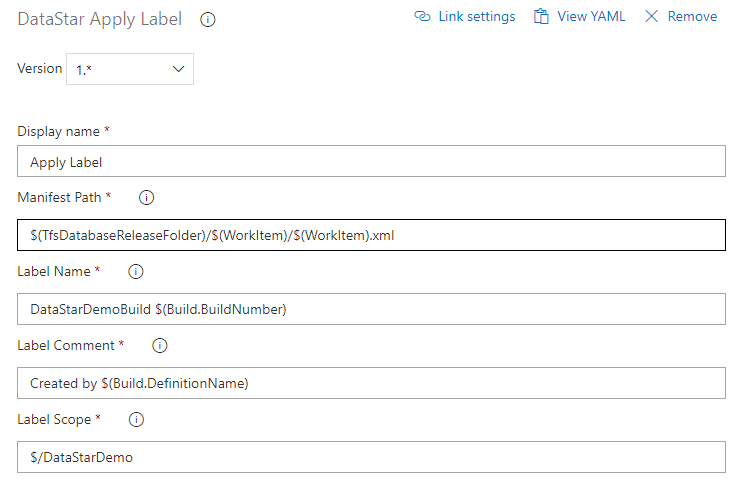
DATASTAR: Apply Label (optional)
Label the release files with the Apply Label task.
Copy Files to Staging Directory
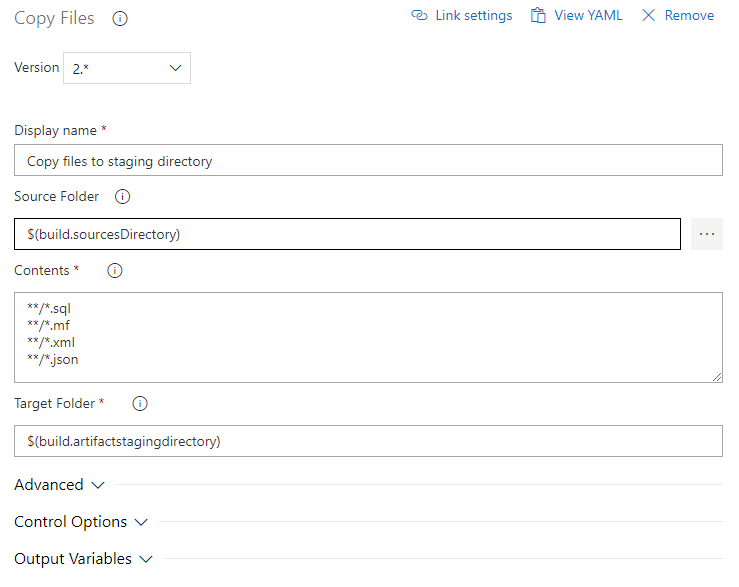
Use the standard Copy Files task to move the built scripts to $(build.artifactStagingDirectory) ready for publishing.
Publish Artifact
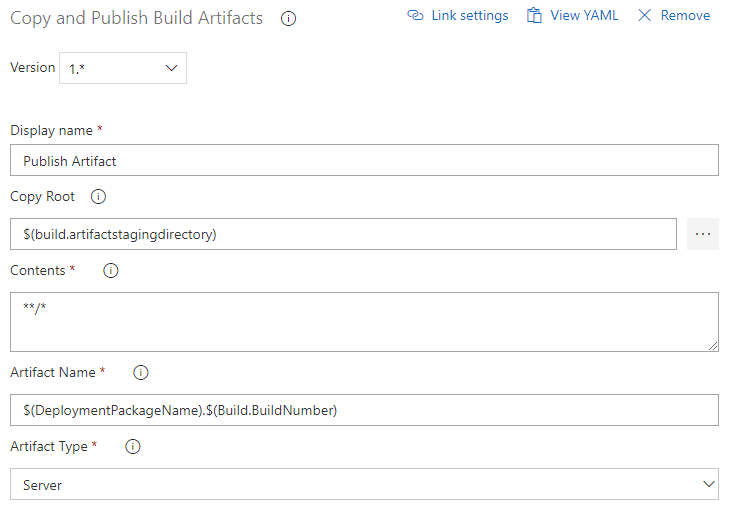
Publish the staged files as an artefact. The example publishes to Azure Pipelines; a file share or a NuGet feed works equally well. The release pipeline takes this artefact as input.
DATASTAR: Add Work Item History (optional)
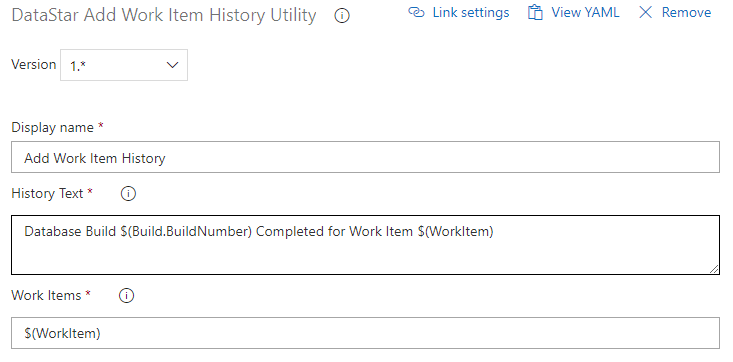
Record the build against the work item with the Add Work Item History task.
DATASTAR: Associate Build With Work Items (optional)
Link the build to the work item with the Associate Build With Work Items task.
