Azure DevOps - Artifacts
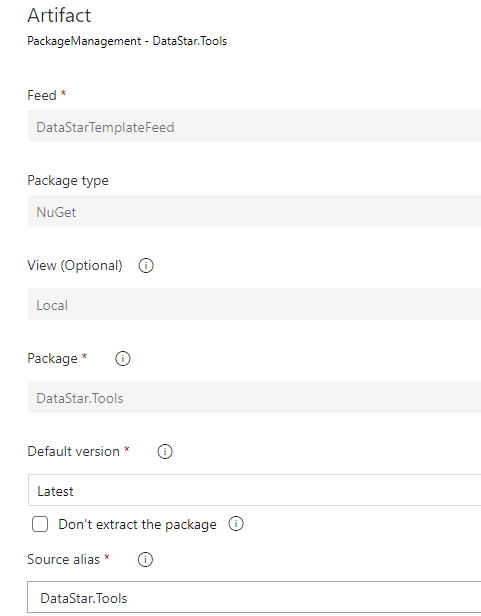
The release pipeline is usually triggered by the build artefact being published. It also needs DataStar.Tools on the agent, which means adding it as an artefact so Azure DevOps downloads it to the build agent at release time. If reversal is enabled, the templates package is a third artefact.
The artefact feed
Azure Artifacts lets you publish and consume packages from Azure feeds or from external repositories such as Artifactory. DataStar.Tools is shipped in both NuGet and zip formats. Upload the version you want to use to whichever feed the release pipeline reads from.
To set up an Azure Artifacts feed for your organisation, follow the Microsoft guide on creating feeds. To connect to an existing external repository, see connect to an artifact repository.
Once the feed is configured, add it to the release pipeline via Add and select Azure Artifacts as the source type: