Azure DevOps Release
The Azure DevOps release pipeline consumes the build artefact, pulls DataStar.Tools (and optionally the component templates) from an artefact feed, and runs the deployment against a target database.
Prerequisites
- A build pipeline that packages the scripts from a deployment manifest.
- An artefact feed with DataStar.Tools published to it. See Artifacts.
- For reversal: the component templates packaged and published to a feed. See Package templates.
Define the pipeline
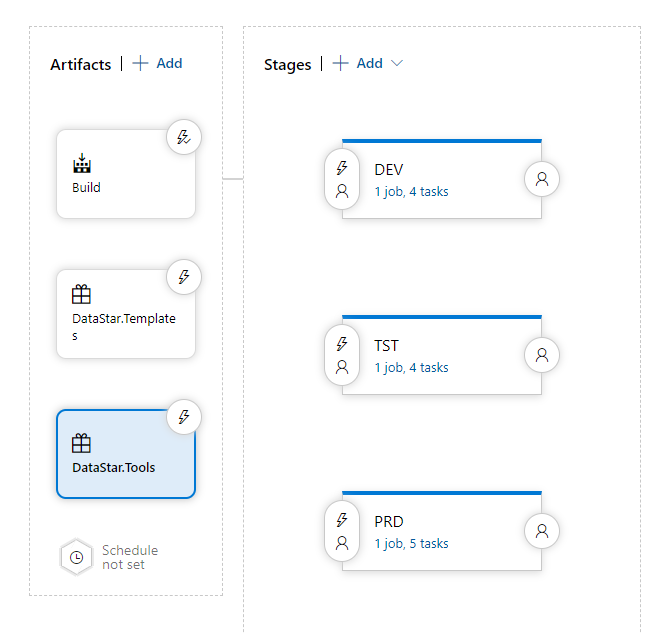
Create a release and add the artefacts it depends on:
- The build output. Usually configured as the release trigger.
- The templates package, if reversal is enabled.
- The DataStar.Tools package, so the CLI is on the agent at deploy time.
Add one or more environments. Configuration details vary by Azure DevOps version; refer to the Microsoft documentation for the exact UI.
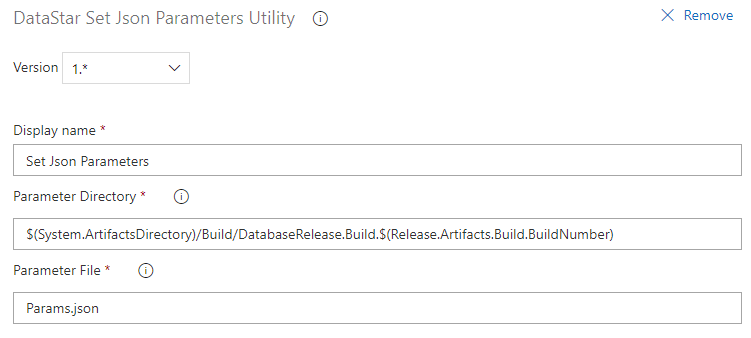
DATASTAR: Set Json Parameters
Read the metadata file written during the build with the Set Json Parameters task. This sets pipeline variables for WorkItem, Version, and anything else the build recorded.
Execute DataStar.Tools
Run the deployment with a command-line task. A typical invocation for SQL Server with auditing and reversal enabled:
DataStar.Tools.exe -db "Microsoft" -en "DEV" \
  -cs "User ID=$(DatabaseUser);Password=$(DatabasePassword);Data Source=$(DataSource);Database=$(Database)" \
  -ae -ah "ADS_DEPLOYMENT_HISTORY" -ar "ADS_DEPLOYMENT_REVERSAL" -as "ADS_DEPLOYMENT_SUMMARY" \
  -lk "$(LicenseKey)" -wi "$(WorkItem)" -vn "$(Version)" \
  -re -wd "$(System.ArtifactsDirectory)/Build/$(DeploymentPackageName)$(Release.Artifacts.Build.BuildNumber)" \
  -td "$(TemplateDirectory)" -lf "output.txt"
Each flag is documented in the DataStar.Tools reference.
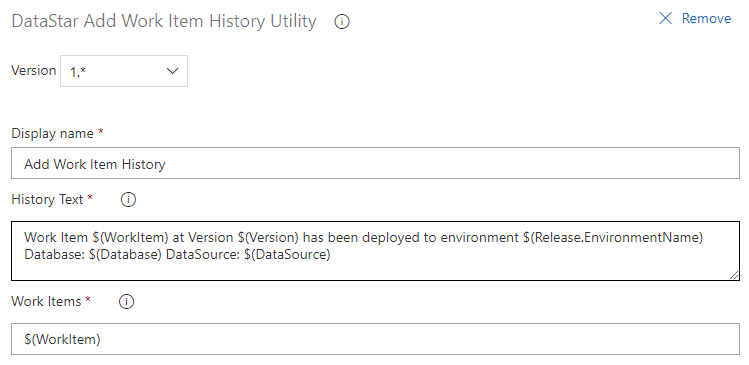
DATASTAR: Add Work Item History (optional)
Record deployment details against the work item with the Add Work Item History task.
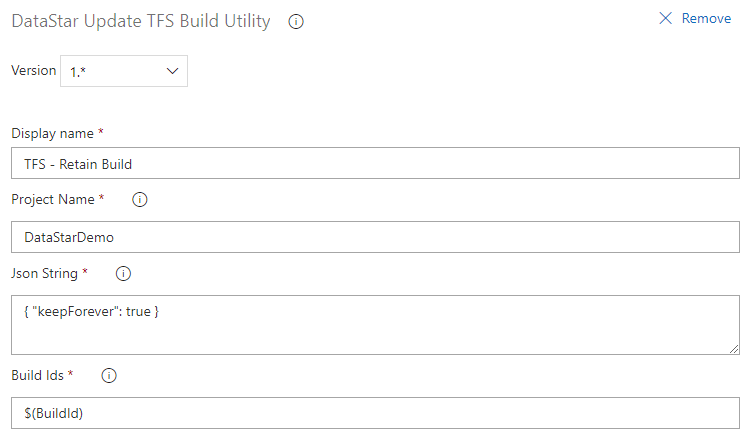
DATASTAR: Update Build (optional)
Retain the build indefinitely for environments that need it, using the Update Build task.
DATASTAR: Tag Build (optional)
Tag the build with the environment it was deployed to, using the Tag Build task.
